Most NetSuite environments don’t become risky overnight. Risk builds slowly—script by script, bundle by bundle, customization by customization.
At first, everything works. Then someone hesitates to make a change. A performance issue appears. An audit question is harder to answer than expected. Eventually, teams realize they’re relying on logic they don’t fully understand.
By that point, the problem isn’t NetSuite. It’s visibility.
How Script Risk Sneaks In
Scripts and integrations are often added for good reasons:
- A process needed automation
- A report needed enhancement
- A third-party system needed to connect
- A one-time issue needed a fix
Over time, these solutions stack up. Different consultants build different logic. Business needs change. Team members move on.
What remains is a system running code that few people can confidently explain.
Common Warning Signs
Organizations usually don’t realize they have a script problem until they see symptoms like:
- Changes causing unexpected side effects
- Performance slowing during peak periods
- Scripts running without clear ownership
- Fear of disabling anything “just in case”
- Auditors asking questions no one can answer quickly
When logic becomes untouchable, the system becomes fragile.
Why Native Tools Aren’t Enough
NetSuite provides access to scripts, but it doesn’t offer a clear, consolidated picture of:
- What scripts exist across the account
- Which records and transactions they touch
- Where risks may be hiding
- How third-party bundles overlap with custom logic
Without that view, teams rely on guesswork and tribal knowledge.
The Cost of Operating Blind
Running NetSuite without script visibility creates several risks:
- Operational risk – changes break unrelated processes
- Audit risk – unclear logic triggers scrutiny
- Security risk – scripts may run with more access than needed
- Scalability risk – performance issues worsen as volume grows
Most importantly, it slows progress. Teams hesitate to improve what they don’t understand.
What Visibility Should Actually Look Like
Script visibility isn’t about reading code line by line. It’s about answering practical questions:
- What scripts are active?
- What do they affect?
- Are any outdated or unused?
- Where are the biggest risks?
- What should we review first?
Without these answers, optimization efforts stall before they begin.
How EZsuite Audit Helps
EZsuite Audit was built to give teams that missing visibility—directly inside NetSuite.
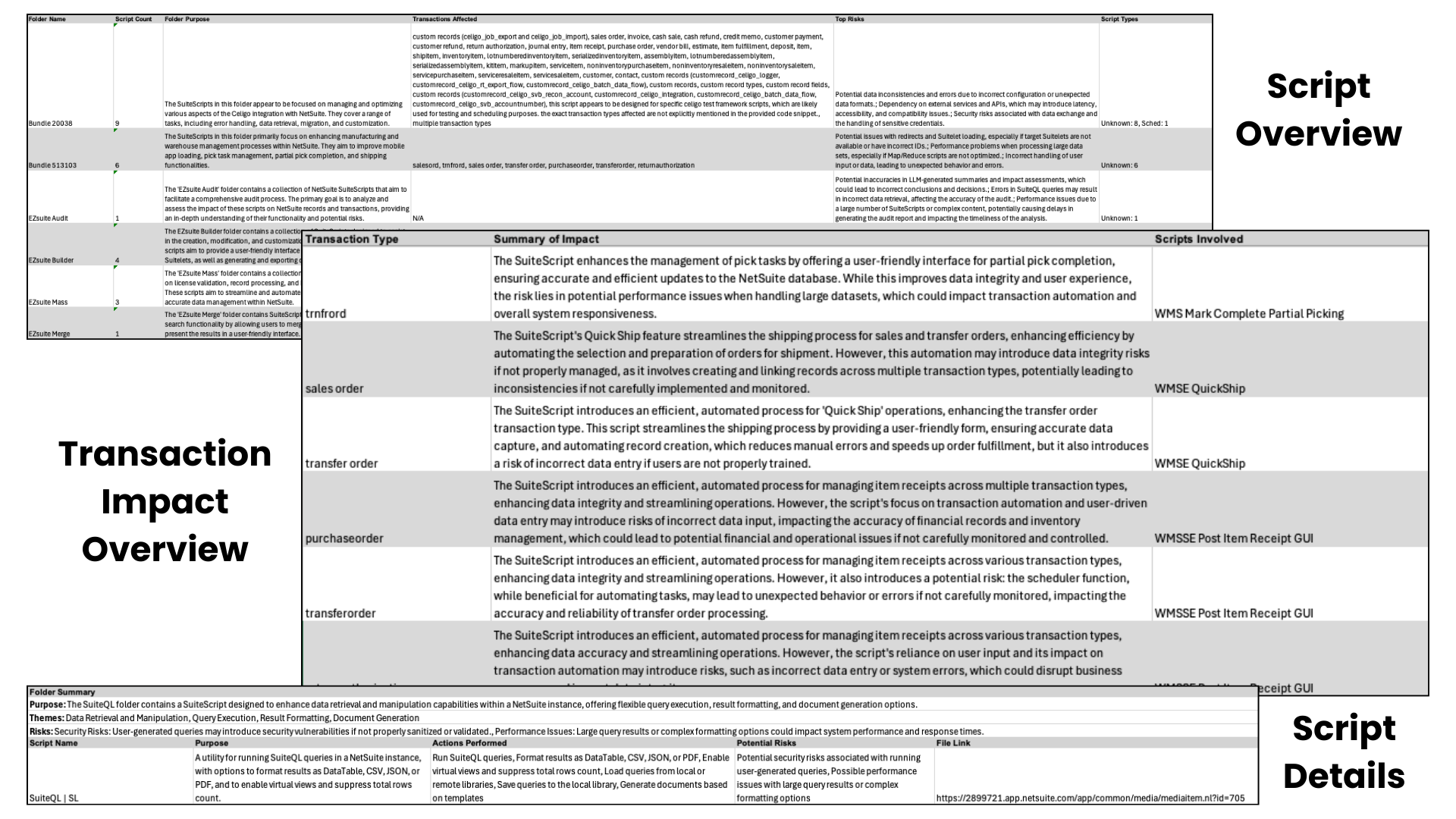
It scans the environment to identify:
- Script types and locations
- Impacted records and transactions
- Potential risk areas
- Orphaned or outdated logic
- Cross-bundle script interactions
Instead of hunting through folders and setup pages, teams get a clear picture of what’s actually running.
Turning Unknowns Into Action
With clarity, teams can finally act:
- Retire scripts that are no longer needed
- Fix risks before they become outages
- Prepare confidently for audits
- Plan changes without fear
EZsuite Audit doesn’t tell teams what to remove—it gives them the insight to decide intelligently.
Who This Matters Most For
EZsuite Audit is especially valuable for:
- Organizations with long-running NetSuite accounts
- Teams inheriting systems from past partners
- Companies preparing for audits or acquisitions
- IT leaders managing bundle-heavy environments
If scripts feel like a black box, visibility is no longer optional.
Final Thought: You Can’t Manage What You Can’t See
NetSuite is powerful—but power without visibility creates risk.
EZsuite Audit helps teams move from uncertainty to confidence by shining a light on the logic driving their system.
If your environment feels fragile or hard to explain, the first step forward is understanding what’s really there.