Inventory adjustments are one of those NetSuite features that feel harmless, until they’re not.
On the surface, adjustments exist to correct mistakes: a miscounted item, a damaged unit, a location issue. In reality, they’re also one of the fastest ways to introduce financial risk into an ERP environment when controls are loose or unclear.
Most companies don’t realize how exposed they are until an audit, reconciliation issue, or unexplained variance forces the conversation.
Why Inventory Adjustments Deserve More Attention
Inventory touches everything: COGS, margin, reporting, and customer trust. When adjustments are made incorrectly or without proper oversight, the downstream impact can be significant.
Common issues we see include:
- Adjustments submitted without review
- Users unsure whether an adjustment was approved
- Corrections made directly to “fix” prior mistakes
- Little to no audit trail explaining why a change happened
Often, these issues aren’t caused by bad actors. They’re caused by unclear process design and a lack of built-in guardrails.
Where Native NetSuite Falls Short
NetSuite provides the mechanics to create inventory adjustments, but it leaves a lot of governance decisions up to the customer.
Out of the box, NetSuite does not:
- Prevent submission before approval
- Clearly communicate approval status to users
- Enforce consistent adjustment workflows
- Guide users through what happens next
As a result, teams compensate with manual checks, emails, or verbal approvals, none of which scale or stand up well during audits.
The Real Risk: Speed Without Visibility
Inventory teams are often under pressure to move quickly. When adjustments are blocked by unclear approval steps, users look for shortcuts.
That’s when problems creep in:
- Adjustments get re-submitted “just to see if it works”
- Users aren’t sure if an adjustment is pending or rejected
- Multiple versions of the same correction appear
- Finance has to clean up the aftermath
The system becomes something people work around, not with.
A Better Way to Enforce Control Without Slowing the Team
EZsuite Approve was built to add clear, lightweight control directly into the inventory adjustment process, without requiring heavy workflows or complex scripting.
Rather than redesigning the entire process, EZsuite Approve focuses on what matters most:
- Preventing premature submission
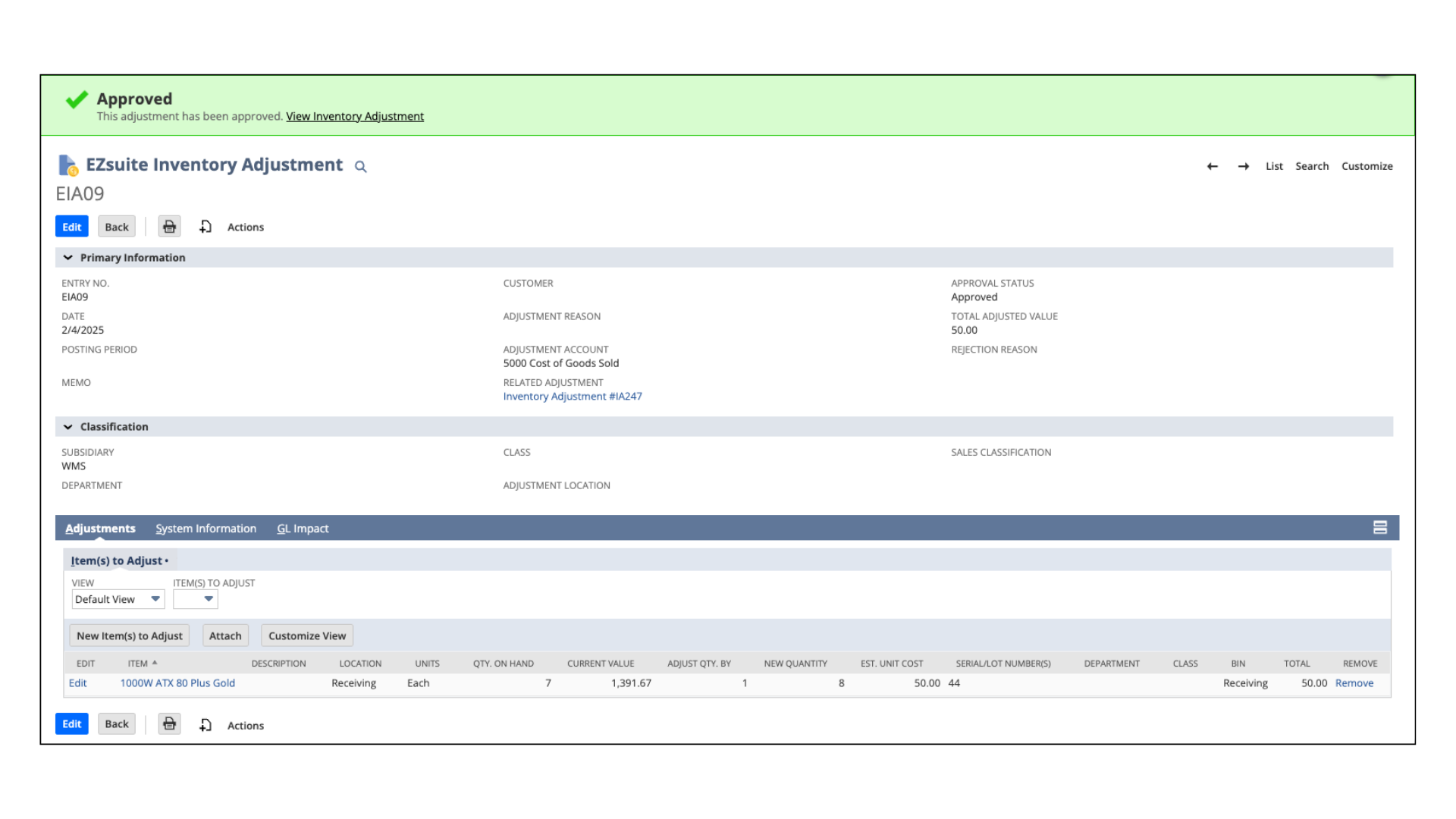
- Making approval status obvious
- Guiding users in real time
- Creating a clean audit trail
The result is fewer mistakes, fewer rework cycles, and far less confusion.
How EZsuite Approve Changes the Experience
With EZsuite Approve in place:
- Users immediately see whether an adjustment is ready to submit
- Pending approvals are clearly communicated
- Rejected adjustments are obvious, no guessing
- Client-side logic prevents actions that violate policy
Instead of relying on tribal knowledge, the system itself helps users do the right thing.
Who Benefits Most
EZsuite Approve is especially valuable for organizations with:
- High adjustment volume
- Strict audit or compliance requirements
- Lean NetSuite admin teams
- Inventory managers enforcing policy consistency
If inventory accuracy matters, and it always does, approval clarity becomes essential.
Final Thought: Controls Should Be Clear, Not Complicated
Strong internal controls don’t have to slow operations. In fact, when controls are clear and built into the workflow, teams move faster because they don’t have to stop and ask questions.
EZsuite Approve helps organizations close a critical governance gap in NetSuite, protecting inventory accuracy without adding friction.
If inventory adjustments still feel risky or unclear, it may be time to put better guardrails in place.